How Do You Identify a Product's Model Number?
By Editorial Team ·

On this page
- Why the Model Number Matters When You Match Pallet Sets
- Where to Find Model Number on a Product
- A product-category-first workflow
- Reading the label correctly
- Checking the product's settings or system information
- Model Number vs Serial Number: How to Tell Them Apart
- How to Find a Model Number Without the Packaging
- What to Do When the Label Is Missing or Unreadable
- The fallback sequence
- Distinguish the identifiers before you share anything
- Reading model-number formats and suffixes
- Sharing safely before an in-person match
- How to Verify a Product Model Number Before You Meet
- Sharing Model Numbers Safely Before an In-Person Set Match
- Frequently Asked Questions
Quick Summary
A model number is usually printed on a permanent label on the product, and the exact spot depends on the category. Check the inner door frame or rim for large appliances, the back panel or base for small appliances, and the bottom case or settings menu for electronics. The model number identifies the product line, so every identical unit shares it, which makes it the number to confirm before meeting another reseller.
- Look for the words Model, Model No., MOD, or M/N on the label.
- Model numbers are shared by every identical unit, unlike serial numbers.
- Check the manual, receipt, or warranty card if the label is unreadable.
- Confirm the full number, including suffixes, before agreeing to meet in person.
- Share only the model number and a label photo, with serial numbers cropped out.
Why the Model Number Matters When You Match Pallet Sets
Individual pallet buyers often need to complete sets, and the first step in any match is knowing exactly what you have. A model number tells another reseller that a box is the right piece to complete their set.
For example, a set labeled "Box 1 of 2" may be the wrong product entirely if the model numbers do not match. Checking the model number first saves both people time.
Where to Find Model Number on a Product
Most products print their model number on a permanent label, but the exact spot depends on the product category. Instead of hunting randomly, work category by category. Working category by category gives you a fast, reliable answer before agreeing to meet in person.
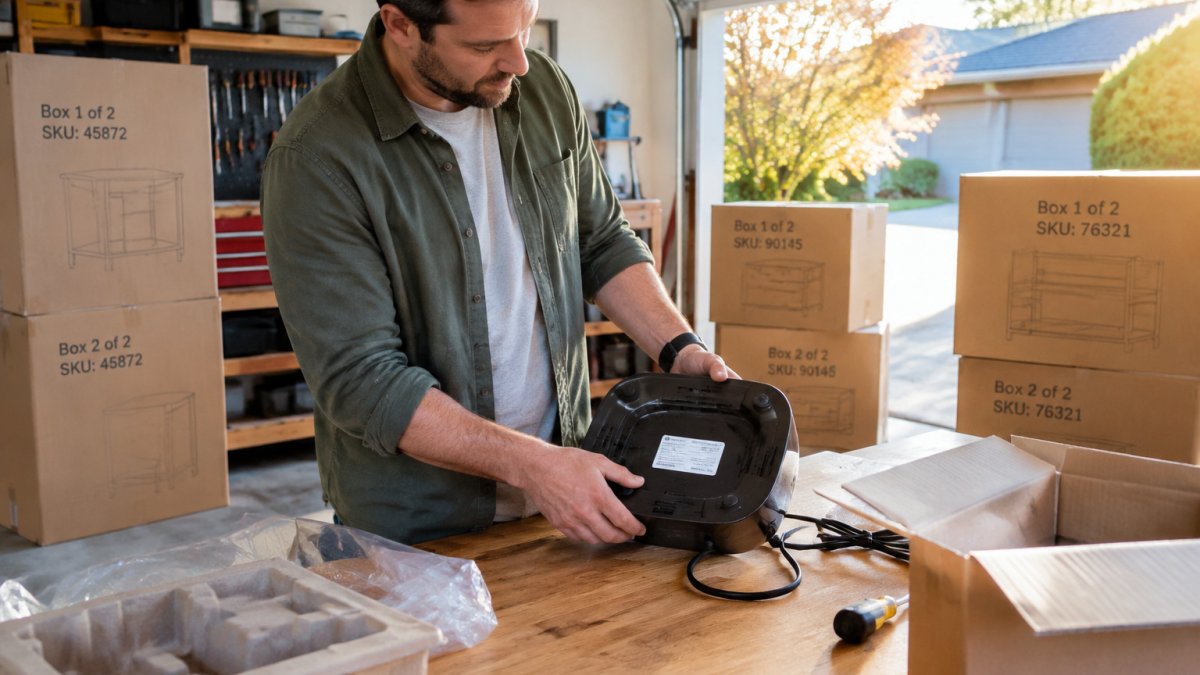
A product-category-first workflow
Start with the category, then check the spots listed for that category. If the first spot is empty, move to the next one rather than guessing.
Large home appliances (refrigerators, freezers, washers, dryers, dishwashers)
- Open the door or lid. The model label is often on the inner door frame, the inner rim, or the tub surround.
- On refrigerators, check the upper left or right interior wall and the ceiling of the fresh-food compartment.
- On washers and dryers, check the door opening, the lid underside, and the back panel.
- On dishwashers, check the inner door edge and the side of the door frame.
Small kitchen appliances (microwaves, coffee makers, mixers, air fryers)
- Check the back panel and the underside or base.
- On microwaves, look at the back panel and the inner door frame.
- On countertop appliances, the rating plate is often molded into the bottom.
Electronics (TVs, monitors, printers, speakers)
- On TVs and monitors, check the back panel and the base or stand mount area.
- On printers, check the back panel and inside the front or rear access door.
- On speakers and soundbars, check the underside and the rear connection panel.
Computers, laptops, tablets, and phones
- On laptops, check the bottom case, the area under the battery (if removable), and the hinge area.
- On desktops, check the rear panel and the side or top of the case.
- On tablets and phones, check the back of the device, the SIM tray area, and the settings menu.
Tools and outdoor equipment
- On power tools, check the housing near the battery mount, the motor housing, and the underside of the base.
- On outdoor equipment, check the frame, the engine housing, and the area under the seat or cover.
Toys, furniture, and boxed goods
- On toys, check the battery compartment and the underside.
- On furniture, check the back rail, the underside of the seat or top, and the inside of a drawer.
- On boxed goods, check the packaging label and any insert card.
Reading the label correctly
A rating plate usually contains several identifiers printed close together. Look for the words "Model," "Model No.," "MOD," or "M/N." Do not grab the first number you see; it may be a part number, a serial number, or a certification code.
Watch out: a model number printed on a sticker can differ from the model number printed on the product itself if the sticker was applied by a retailer or refurbisher, so confirm the number on the product whenever possible.
Checking the product's settings or system information
Some electronics store the model number in software, which is useful when the physical label is worn or hidden.
- On a computer, open the system information screen.
- On a phone or tablet, look under the device information or about section in the settings menu.
- On a smart TV, the model is often in the support or system info menu.
- On a printer, check the device status or configuration page.
Write the number down exactly as shown, including any letters and suffixes, because a single character can change whether two pieces belong to the same set.
Model number locations vary by product category, so check the spots listed for yours.
| Category | Where to look | Tip |
|---|---|---|
| Large home appliances | Inner door frame, rim, or tub surround | Check the back panel if empty |
| Small kitchen appliances | Back panel or base | Rating plate may be molded into the bottom |
| Electronics | Back panel or stand mount area | Check the rear connection panel on speakers |
| Computers and phones | Bottom case, rear panel, or settings menu | Software info can show the model |
| Tools and outdoor equipment | Housing near battery mount or frame | Check under the seat or cover on outdoor gear |
| Toys and furniture | Battery compartment or back rail | Check inside a drawer on furniture |
Model Number vs Serial Number: How to Tell Them Apart
These two numbers are easy to mix up, but they do different jobs.
- Model number identifies the product line and version. Every unit of the same item shares it.
- Serial number identifies one specific unit. Every item has its own.
For set matching, the model number is the one that counts. Two boxes with the same model number are compatible pieces, even though their serial numbers differ.
Quick check: If the number is the same on every identical item in the store, it is the model number. If it changes from unit to unit, it is the serial number.
How to Find a Model Number Without the Packaging
Often the box is gone, or the label has peeled off. You can still find the model number.
- Look for the label on the product itself, using the locations listed above.
- Check the product's settings or system information.
- Search the brand name with the product type and any visible text on the item.
- Compare the physical item to photos of the same product from the manufacturer's site.
If you still cannot confirm the model, describe the product clearly and share close-up photos instead of guessing. You can see how one seller lists a model number from a single partial box at mini fridge cabinet listings.
What to Do When the Label Is Missing or Unreadable
A missing or damaged label is common on individual pallet pieces, and it is the point where most guides stop. You can see a real listing where the seller openly notes an unknown model number and the photos that helped at closet organizer listings. The useful approach is a fallback sequence: work from the product outward to documentation, then to support, and only then to a photo-based match.
The fallback sequence
- Re-check the product itself. Shine a light at an angle to bring out faded print. Photograph the label from several distances and angles. Check inside removable panels, under drawers, and behind battery covers.
- Check the manual or documentation. If the manual survived, the model number is usually printed on the cover or the first page. A receipt, warranty card, or registration email can also carry it.
- Check the product's settings or system information. Software-stored model numbers survive when the physical label does not.
- Check the packaging or insert cards. Even a partial box or insert can carry the model number.
- Contact the manufacturer's support. Give the product type and any visible text, and ask whether they can identify the model from a photo or a partial number.
- Use a photo-based match. Compare the physical item to photos of the same product from the manufacturer's site, focusing on shape, controls, and feature layout.
Distinguish the identifiers before you share anything
When a label is damaged, people often grab the wrong number. These identifiers are commonly confused:
- Model number identifies the product line and version. Every unit of the same item shares it.
- Serial number identifies one specific unit. Every item has its own.
- Part number identifies a component or replacement part, not the whole product.
- Service number is used by repair technicians and may differ from the model number.
- Product number is sometimes used by retailers and may not match the manufacturer's model number.
For set matching, the model number is the one that counts. Two boxes with the same model number are compatible pieces even though their serial numbers differ.
Reading model-number formats and suffixes
Model numbers are not random. Letters often indicate a series or feature set, digits indicate the generation or size, and suffixes often indicate a regional variant or a revision. A different suffix can mean the parts do not fit together, so compare the full string rather than the first few characters. If you are unsure what a suffix means, ask the other reseller to confirm before you drive over.
Sharing safely before an in-person match
When you share a model number, send only what is needed to confirm the match. Share the model number and a photo of the relevant label, and obscure the serial number if it appears in the same photo. Leave out your home address, full name, and other personal details until you are ready.
Watch out: a photo of a label can expose a serial number or account information, so crop or cover anything beyond the model number before sending it to another reseller.
How to Verify a Product Model Number Before You Meet
Before you agree to meet, confirm the model number matches what the other reseller needs. Ask for a clear photo of the label. Compare it with the manufacturer's product listing or the model shown in the product's settings.
Check that the model number matches exactly, including any letter suffix. Read resale approaches for mismatched product sets before you confirm the model with a partner. Small differences, such as a different suffix, can mean the parts do not fit together.
Sharing Model Numbers Safely Before an In-Person Set Match
When you share a model number, send only what is needed to confirm the match. Share the model number and a photo of the relevant label. A reseller agreement for matched inventory exchanges lists what to share and promise before the swap.
Agree on a public meetup spot in advance, such as a busy parking lot during daylight. Bring a friend if you can. Once you both confirm the model numbers match, you can complete the exchange with confidence.
Last Updated: November 17, 2026
Frequently Asked Questions
Where can I find a product's model number?
Model numbers are usually printed on a rating plate or sticker on the back, underside, base, or inside a door frame of appliances, and on the back or bottom of electronics such as monitors, laptops and tablets. Look for a label that lists a model, type or product number alongside a serial number. If the product came in a box, the model number is also printed on the packaging, usually on the end flap or a side panel. Start with the back and underside before opening any cover, and photograph the label so you have a reference when you meet a potential set partner.
How do I tell a model number from a serial number?
A model number identifies the product line and version, so every unit of the same product shares it. A serial number is unique to one individual unit. Model numbers are often labelled 'Model', 'Mod', or 'Type', while serial numbers are labelled 'S/N' or 'Serial'. When you are matching pieces of a set, the model number tells you whether two boxes belong together, and the serial number helps you confirm a specific unit if the manufacturer needs it.
Can I identify a product model number without the original packaging?
Yes. Most products print the model number on the product itself, so the box is rarely necessary. Check the rear panel, base, underside, or the frame near the power connection. For devices with software, the settings menu or system information screen often lists the model name. If you can only find a partial number, record exactly what you see, including suffixes and dashes, and compare it against the manufacturer's support page or the user manual before you agree to a match.